Payroll Integration
Payroll taking all day? Get it done on time.
With our native payroll system, paying your staff takes minutes, not hours. Because it lives in the same ecosystem as time and attendance and employee scheduling, you no longer need to reconcile data from different sources.

Not ready to switch payroll systems yet? No problem.
Workforce.com supports integrations with payroll providers so you can maintain your current setup, allowing you to get best-of-breed scheduling and time tracking synced with your existing systems.

Overtime calculations across all locations.
For every single shift, Workforce.com calculates the cost based on the minimum wage, overtime, and other rules in your jurisdiction. There's no manual data entry, and no human errors.
PTO & timesheets in an app that's used by everyone.
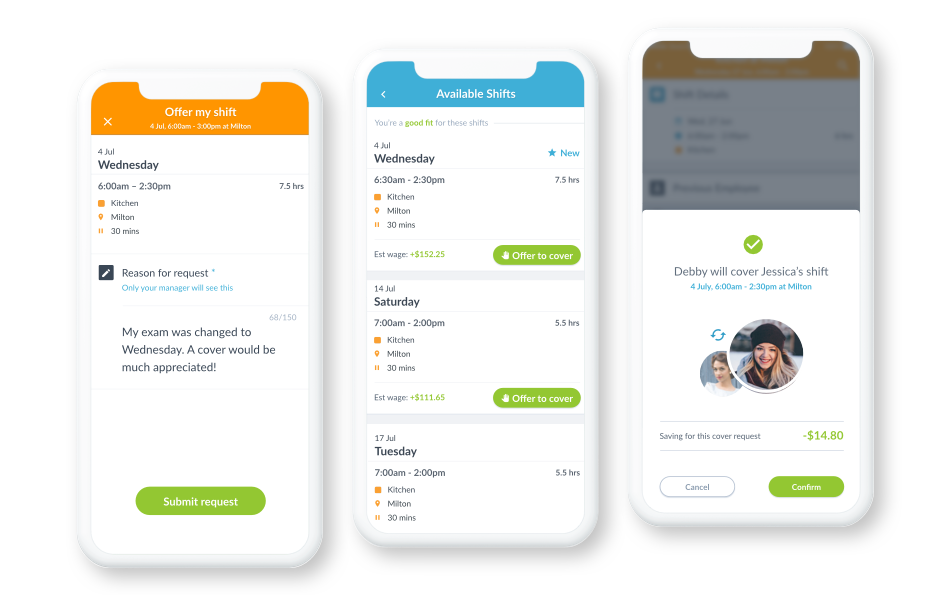
Approving PTO and updating balances is a headache when everything lives in yet another system. With Workforce.com, PTO, timesheets, and schedules are managed in a single mobile app that everyone uses. At the end of the day, it's all synced to payroll as the single source of truth.
Enforce staffing rules
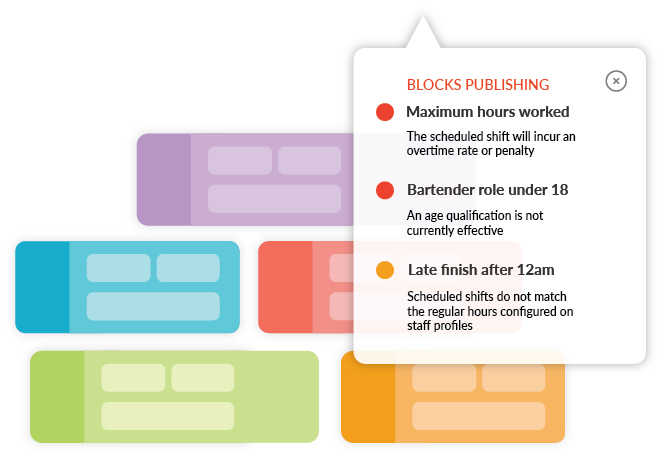
Set scheduling requirements for things like staff qualifications, shift ratios, and age-based hour limits. That way, managers create compliant schedules without needing to remember every regulation.
Choose the payroll workflow that fits your business—native or integrated.
Talk to our team to see which option is right for you.




Got other questions? The answer is yes!
Can it retroactively pay people?
Does it integrate over SFTP?
Can it distribute credit card tips?
What about allowances?
Can it connect to Workday, Oracle, Netsuite, ADP, Gusto, Paycom, Paychex, Ultimate, Ceridian, or any other payroll system?
Export terminated employee timesheets before pay day?
Does it sync timesheets in under half an hour so payroll isn't blocked?
Can it work across multiple locations?
In different cities, states, or countries?
Does it recognize job codes?
Can it do test exports through a staging environment?
Will Workforce.com help me get every pay run done on time?