Benefits Management

Effortless Benefits
for Your Team

A thriving business starts with the wellness of your workforce. Find accessible health and financial plans that improve retention and your bottom line.

Get a demo

8,134 + reviews

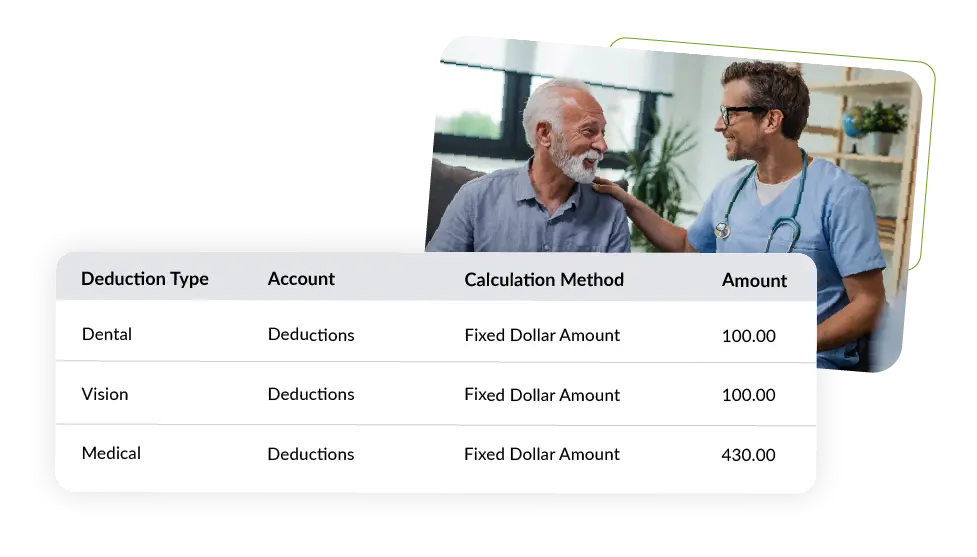
Health plans for peace of mind

  • Easily enroll new hires and choose from a variety of medical, dental, and vision options. Review coverage status and deadlines for all employees while securely storing important coverage documents online.
Financial well-being beyond a paycheck

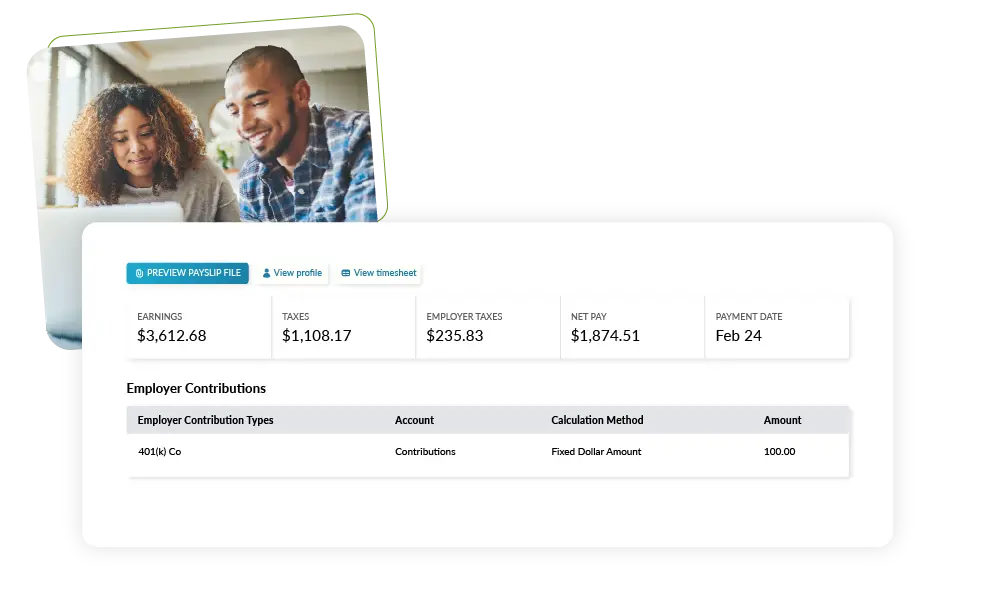
  • Set new hires up in 15-minutes for automated 401(k) contributions every pay run. With access to a variety of plans through established providers, a retirement calculator, and a budgeting tool, staff gain complete control over their financial future.

Sync with payroll

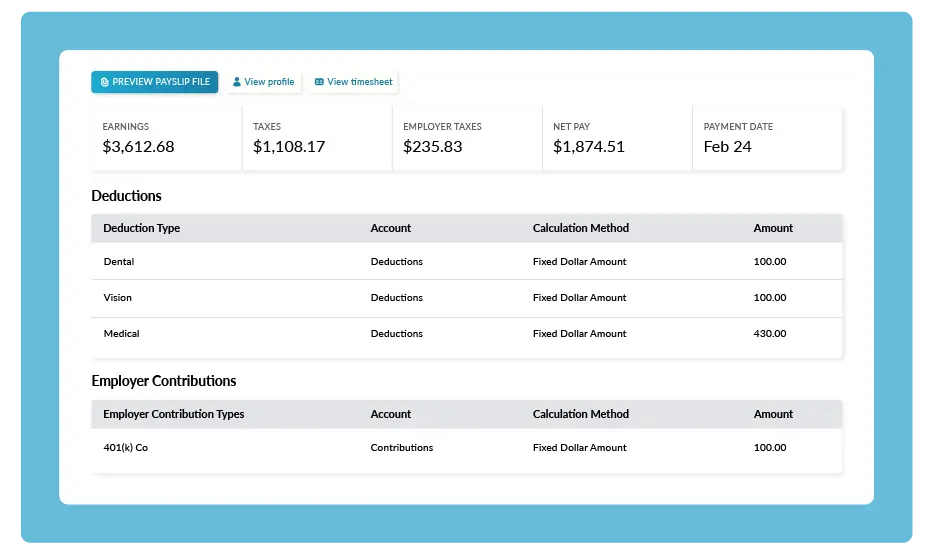
  • Health and 401(k) contributions are calculated and deducted from paychecks automatically, reducing the administratvie burden on your HR team. Access to live professional guidance & support makes managing benefits easier for smaller businesses.
Can't let go? Keep your broker

  • Break ups are hard, we get it. If you already have an inusrance broker, we'll work with them to keep your benefits administration in one place.

Get a demo
Pricing
Frequently Asked Questions
How do I get started with benefits?

Start by scheduling a conversation with Workforce.com's Benefits team. We'll review your current benefits offerings, understand your goals, and outline the best path forward.

If you already offer benefits, Workforce.com can step in as your Broker of Record and take over servicing your existing plans. If you're starting benefits for the first time, we'll guide you through plan selection and setup.

As part of onboarding, Workforce.com typically implements a benefits administration platform—most commonly Employee Navigator or bswift—to manage enrollments, elections, and changes while keeping benefits aligned with payroll. If you already use a different benefits platform, we can work within that system as well.

Can my staff make changes to their plans, like adding dependents?

Yes, employees manage their benefits through your organization's benefits administration platform, such as Employee Navigator or bswift, where they have secure individual accounts to enroll in plans and request changes, including adding dependents.

However, most benefit changes are only allowed during Open Enrollment or following a qualifying life event—such as marriage, birth or adoption, or loss of other coverage—in accordance with plan and carrier rules.

How do I transition my current 401(k)?

Workforce.com partners with experienced 401(k) providers that regularly support transitions from other vendors. We'll coordinate with your new provider to guide you through requesting the transfer of plan management and assets from your current vendor.

Your existing provider may require a temporary blackout period while funds are transferred. During this time, employees typically continue contributing through the new provider, and the 401(k) partner coordinates the transition to minimize disruption.

Does Workforce.com support Open Enrollment?

Yes, Workforce.com fully supports Open Enrollment by helping plan the timeline, preparing the enrollment within your benefits administration platform, and supporting employee communications throughout the process.

Employees complete their elections within the platform, and Workforce.com ensures those elections are accurately reflected in payroll so deductions and contributions are processed correctly each pay period.

Can Workforce.com work with my current broker?

Yes, clients may continue working with their current broker if they choose.

When Workforce.com is not the Broker of Record, you or your broker will need to enter benefit elections, plan changes, and contribution updates into the payroll system. Workforce.com provides access to the payroll platform, but benefits administration and ongoing coordination remain your responsibility or your broker's.

How does benefits management software integrate with Workforce.com?

Benefits management software centralizes employee elections, eligibility, and changes within your benefits administration platform, such as Employee Navigator or bswift.

The Workforce.com Benefits Team coordinates this information with payroll to ensure deductions and contributions are accurate each pay period, reducing manual work and minimizing the risk of errors.

How does benefits management software streamline employee enrollment processes?

Benefits administration platforms give employees a single place to review plans, enroll, and submit changes electronically. For employers, this reduces administrative effort, improves visibility into employee elections, and makes benefits easier to manage as your organization grows.

How does Workforce.com handle 401(k) contribution setup?

Workforce.com coordinates 401(k) contribution setup with your selected provider. Employee deferral elections and any employer contributions are established with the provider and aligned with payroll through integrated workflows, ensuring contributions are withheld accurately each pay period and remitted to the plan. Workforce.com can provide details on available 401(k) partners upon request.

Does Workforce.com store compliance documents securely?

Yes, Workforce.com securely stores employee and payroll-related documentation using industry-standard security practices to protect sensitive data and support compliance requirements.

Want to see it in action?

Get a demo