


Accurately track attendance. Eliminate incomplete timesheets.
Capture time punches, breaks, leave, and call-outs in one system, and stop chasing managers for timesheet corrections on pay day.

Trusted by businesses great and small










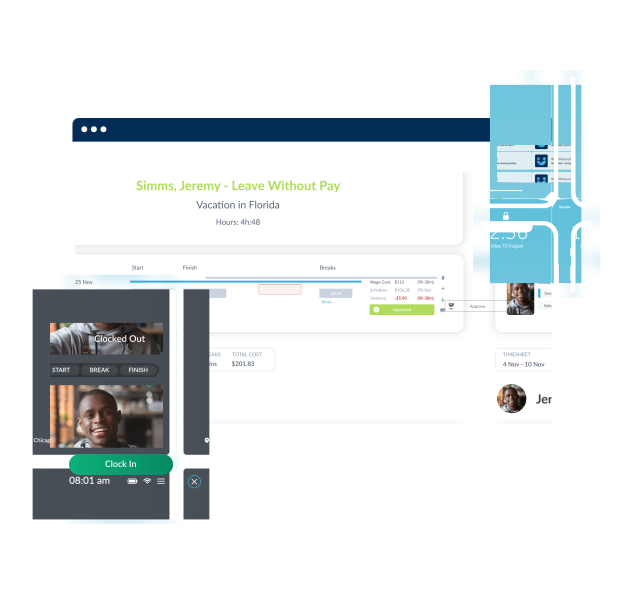
Time & Attendance is more than time punches.
If you're only tracking start and end times, then you're not getting complete oversight of your workforce. By tracking paid and unpaid breaks, tardiness, availability, PTO, and scheduled time vs actual time variances in one system you can know what your workforce is doing in real time and always pay staff accurately.
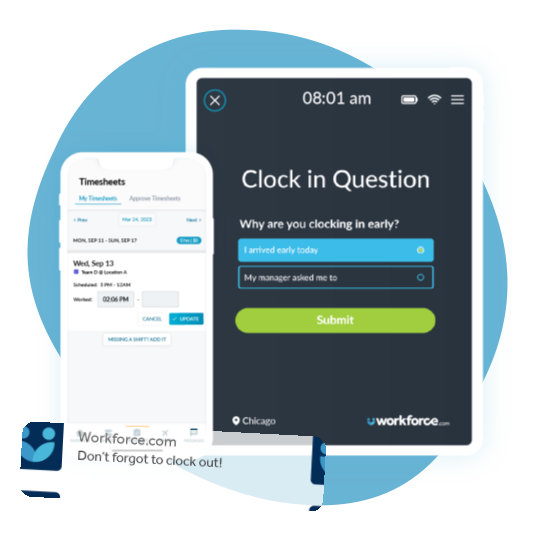
Never miss time punches
Capture clock in and outs, send automatic reminders for missing time punches based on scheduled hours, and let staff update missing times themselves with self-service. That way you'll stop incomplete timesheets holding up payroll.
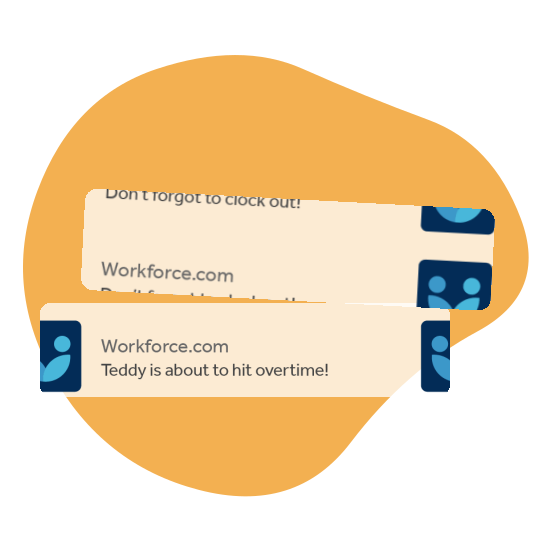
Prevent overtime in real-time
Send managers and staff alerts when they are about to hit overtime. That way managers can stop overtime during the shift and prevent excess labor costs and staff burnout.
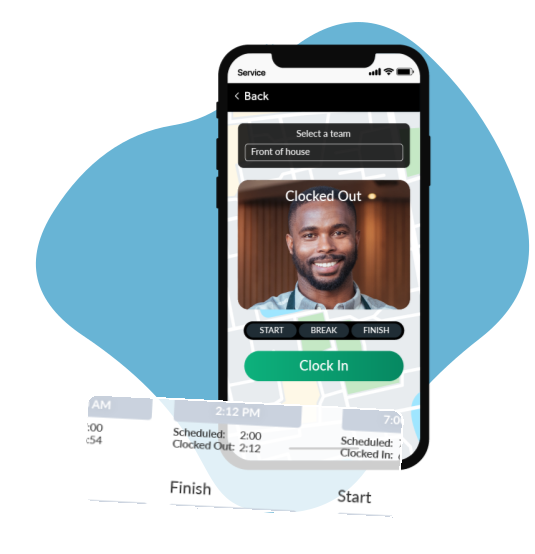
Eliminate time theft
Compare punch times to scheduled hours and round to actual time worked, make sure staff are the right location with GPS clocking, and clock in and out for breaks. That way you're only paying staff for the hours they actually worked and prevent future wage theft.
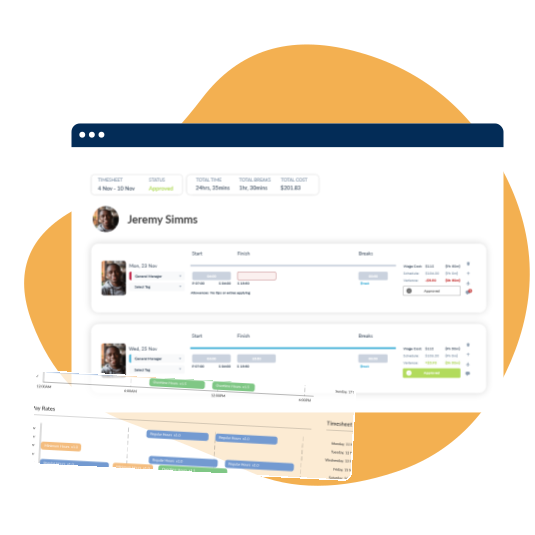
Everything on one timesheet
Get complete oversight by tracking paid and unpaid breaks, PTO, split shifts, as well as recording notes on each timesheet. That way you'll have a full paper trail to prevent labor law and compliance lawsuits.
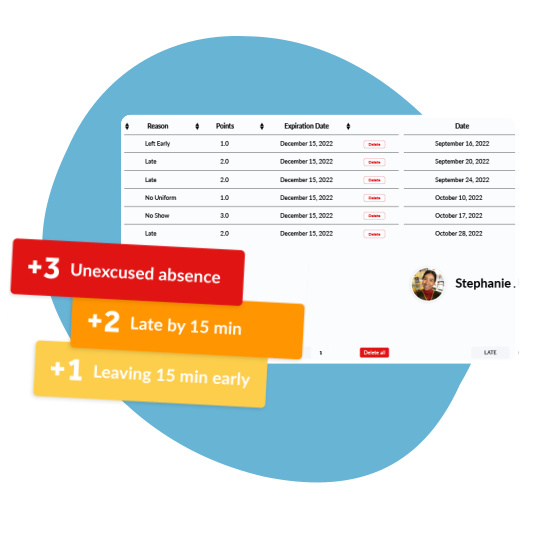
Attendance Points System
Customise attendance points based on your attendance policy, and auto-assign based on clocked times compared with scheduled hours. That way you can easily see larger attendance trends and work with managers to reduce call-outs, no shows, and late arrivals.


Consistent results for our customers
ROI total overall economic impact
Gain in scheduling efficiency
Decrease in customer labor costs
Increase in revenue per labour hour

“Workforce.com gives me a direct connection to the field – this transparency helps our retention and employee experience, ultimately creating more loyalty”




Frequently Asked Questions
Can I manage multiple locations in Workforce.com?
Yes. Workforce.com is built to handle businesses with multiple locations. You can set up as many locations as you need, each with their own teams, schedules, and time clocks - all managed from a single account.
Managers get a live view of who is clocked in across every location, with real-time attendance, wage costs, and timesheet data visible in one place. You can filter reporting by location to track labour costs and identify issues site by site.
Employees can be assigned to one or multiple locations, and if they work across sites in a pay period, Workforce.com automatically tracks their hours and calculates pay correctly across all locations.
For Canadian businesses operating across multiple provinces, this is particularly useful - each location can be configured to reflect the employment standards rules that apply in that province.
Can I use Workforce.com’s attendance solution to schedule my staff
Yes - and the two work best when used together.
The time and attendance module on its own focuses on recording hours - tracking clock-ins, clock-outs, breaks, and generating payroll-ready timesheets. Scheduling is a separate but fully connected module within the same platform.
When you pair them together, scheduled shifts feed directly into time and attendance, so the system can automatically compare what was planned against what actually happened. This gives managers real-time visibility into wage and hour variances, attendance patterns, and overtime risks - all in one place, with no manual data entry between systems.
You can build schedules using drag-and-drop templates, auto-scheduling, or demand forecasting based on historical data. Staff are notified of their shifts via the mobile app and can request time off, swap shifts, and view their schedules from their phone.
For Canadian businesses, the scheduling module also automatically applies provincial rules around minimum hours between shifts, rest periods, and maximum weekly hours - so every schedule you publish is compliant from the start.
Can time and attendance staffing and scheduling reduce time theft?
Yes. Time theft is one of the most common hidden costs for businesses with hourly employees, and Workforce.com is built to close the loopholes that allow it to happen.
Selfie clock-ins and unique passcodes make buddy punching virtually impossible - only the right person can clock in for their own shift. GPS tracking and geofencing verify that employees are physically at their designated worksite when they punch in, which is particularly useful for businesses with staff working across multiple locations or out in the field.
Break tracking ensures employees clock out and back in for breaks, preventing unauthorised extended breaks from going unnoticed. And because scheduled hours are compared against actual punch times in real time, managers can spot and address discrepancies before they reach payroll.
Together, these controls mean you are only paying for the hours your employees actually worked.
Do I have to buy a physical time clock?
No. Workforce.com is entirely web-based, so there is no hardware to purchase.
Employees can clock in and out in two ways. The first is through the Workforce.com mobile app on their own iOS or Android device - using selfie verification and GPS to confirm their identity and location. The second is through a kiosk app, which you can download onto any existing tablet and set up on-site as a shared clock-in point. Staff use unique PIN codes and photo identification to clock in and out securely.
Both options give you the same accurate, verified time data - without the cost or maintenance of dedicated hardware.
How does time and attendance staffing and scheduling prevent overtime?
Workforce.com tackles overtime at two points - during scheduling, and during the shift itself.
During scheduling, demand forecasting helps managers build shifts based on expected workload, so you're not overstaffing or understaffing from the start. The system also flags any shift that would put an employee into overtime before it's published, giving managers the chance to adjust before it becomes a problem.
During the shift, managers receive real-time alerts when an employee is approaching their overtime threshold - giving them time to intervene before overtime kicks in. Employees can also receive their own reminders if they haven't clocked out, helping prevent accidental overtime at the end of a shift.
For Canadian employers, this is particularly valuable given that overtime rules vary by province - some calculate overtime daily, others weekly. Workforce.com automatically applies the correct overtime thresholds based on your location, so you're always calculating to the right standard.