
Workforce management that helps every team thrive
Workforce.com is the most powerful all-in-one tool available for managing hourly employees in Canada. With a specific focus on provincial employment standards and Canadian pay requirements, Workforce.com customers are able to create more efficient schedules, improve compliance, and increase profitability.

Trusted by businesses great and small










Improve schedule efficiency
Use Workforce.com's data-driven rosters to optimise demand and reduce labour costs.
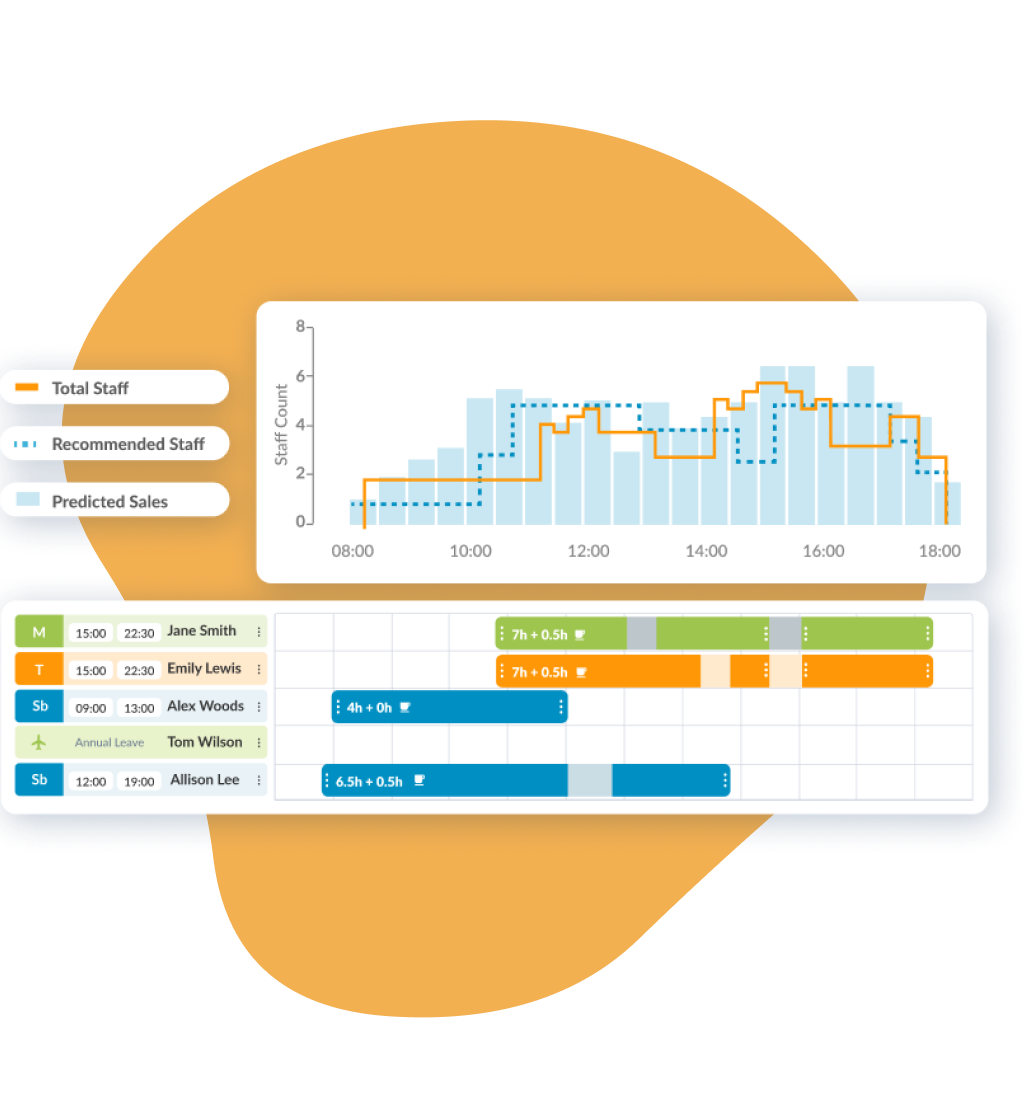
Help managers control costs. Workforce.com schedules visualise costs and let managers see exactly where waste is. Reduce your overtime bill and analyse whether paying penalty rates stacks up.
Demand-driven rosters. Use historical sales, foot traffic, and weather data to determine how many employees you need. Match labour costs to sales to prevent over and understaffing.
Manage leave centrally. Approve and decline leave on the Workforce.com mobile app. Schedule around your team’s unavailability and flag upcoming events and busy periods.
Automate shift swapping. Use Workforce.com's shift swap tool to alert staff to a new available shift. Remind them of pending requests through push notifications on the mobile app.
Eliminate timesheet errors
Workforce.com interprets electronic time and attendance data to create accurate timesheets.
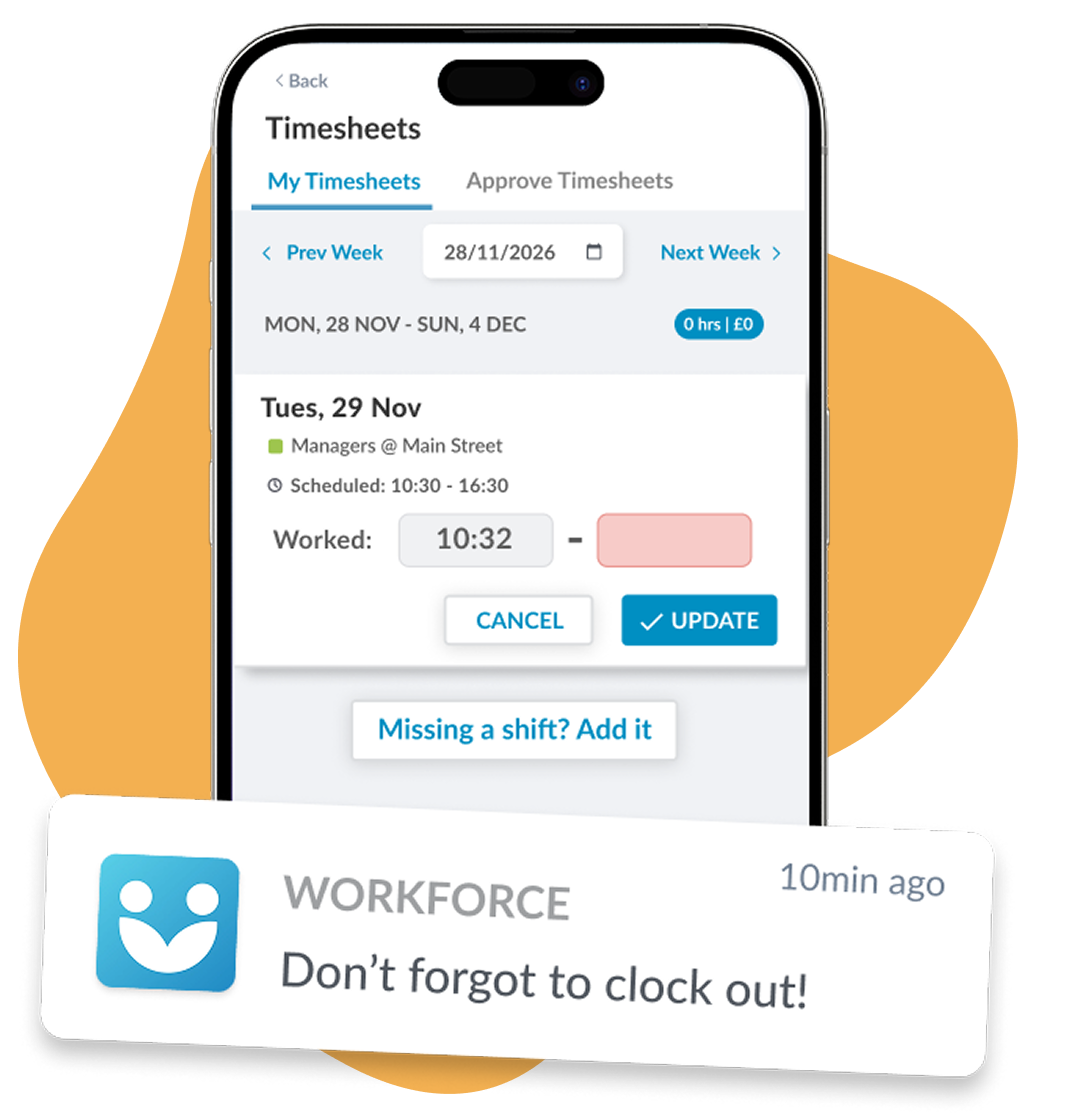
Record attendance on location. Set up a time clock in minutes and have your staff start clocking in. See clock-ins live and collect reasons for early or late starts.
Timesheet auto approval. Shifts that have been verified and match the schedule can be auto-approved to save time. Change approval settings to suit your needs, including automatically flagging shifts with overtime or other issues.
Itemised Pay Breakdown. Understand the makeup of your labour costs. As timesheets are being approved, overtime and allowances are highlighted.
GPS clock-ins. Turn on GPS clock-ins to capture the exact location of every employee’s clock-ins and outs, and flag when they’re away from an approved location.
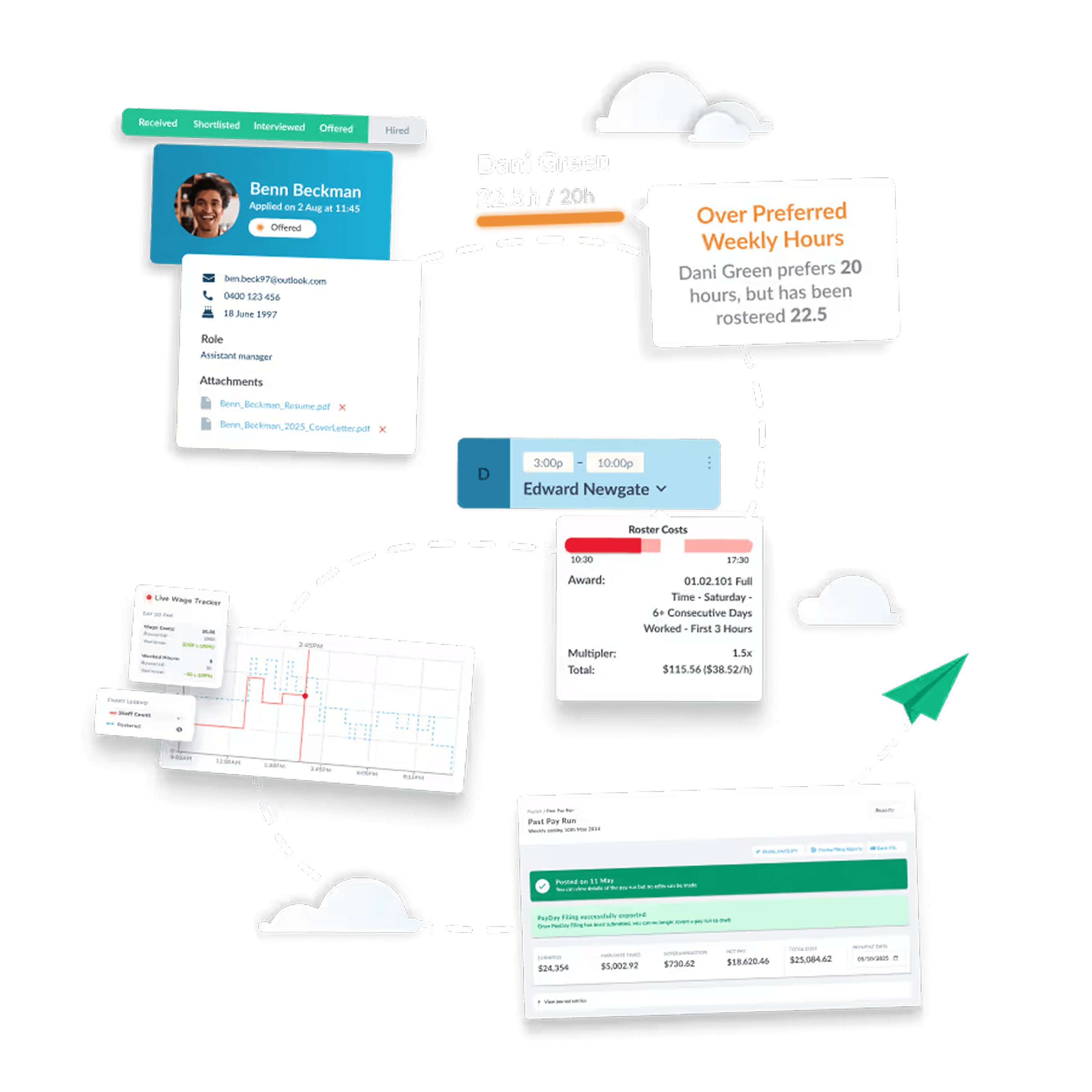
Consolidate systems with Workforce.com
Get rid of multiple systems and manage HR, scheduling, and payroll in one place.




“Workforce.com gives me a direct connection to the field – this transparency helps our retention and employee experience, ultimately creating more loyalty”

Frequently Asked Questions
Is Workforce.com easy to use?
Yes. Workforce.com is designed to be intuitive for everyone - managers, administrators, and employees on the floor.
Managers can build schedules, approve timesheets, and process payroll all from a single platform without switching between systems or re-entering data. The interface is built for speed, so common tasks like publishing a schedule or running payroll can be done in minutes, not hours.
For employees, the Workforce.com mobile app makes it easy to check schedules, clock in and out, request time off, and update personal details - all from their phone.
We also offer onboarding support and a detailed help centre to get your team up and running quickly.
How does time and attendance staffing and scheduling improve payroll accuracy?
Payroll errors almost always start before payroll runs - they come from inaccurate or incomplete time data. Workforce.com addresses this by ensuring time data is clean and verified long before a pay run begins.
Scheduled shifts are linked directly to actual clock-in and clock-out times, so any discrepancy is immediately visible. Timesheets that match scheduled hours can be auto-approved, while those with variances are flagged for manager review - meaning issues get caught and corrected early, not discovered after employees have already been paid.
The system also automatically accounts for overtime, breaks, PTO, and different pay rates across roles - all calculated without manual input. Because scheduling, time tracking, and payroll all live in the same platform, there is no manual data export or re-entry between systems, which removes one of the most common sources of payroll error.
For Canadian employers, this is particularly valuable. With overtime rules and pay requirements varying by province, having a system that automatically applies the correct rates based on where and when your employees work means you can process payroll with confidence.
How does time and attendance staffing and scheduling prevent overtime?
Workforce.com tackles overtime at two points - during scheduling, and during the shift itself.
During scheduling, demand forecasting helps managers build shifts based on expected workload, so you're not overstaffing or understaffing from the start. The system also flags any shift that would put an employee into overtime before it's published, giving managers the chance to adjust before it becomes a problem.
During the shift, managers receive real-time alerts when an employee is approaching their overtime threshold - giving them time to intervene before overtime kicks in. Employees can also receive their own reminders if they haven't clocked out, helping prevent accidental overtime at the end of a shift.
For Canadian employers, this is particularly valuable given that overtime rules vary by province - some calculate overtime daily, others weekly. Workforce.com automatically applies the correct overtime thresholds based on your location, so you're always calculating to the right standard.
How much does Workforce.com cost?
Workforce.com is priced per user per month, with costs depending on which modules you need and how many employees you have.
The all-in-one bundle - which includes Scheduling, HR, and Payroll - starts from CAD $12.80 per user per month, excluding applicable taxes. Individual modules are also available if you only need part of the platform, and pricing can be tailored to your business.
To get accurate pricing for your team size and requirements, get in touch with our team and we'll put together a quote.
Consolidate systems with Workforce.com
Get rid of multiple systems and manage HR, scheduling, and payroll in one place.